

Key Takeaways
- Most paper clutter comes from a lack of a consistent sorting habit, not a shortage of storage space.
- Sorting paper into four categories — act, file, recycle, shred — covers nearly every document you'll encounter.
- Digital scanning can dramatically reduce the volume of paper you need to keep physically.
- A brief weekly paper review prevents small piles from becoming unmanageable backlogs.
- Many documents can be safely discarded sooner than most people assume.
What you will need
Why Paper Clutter Is So Persistent
Paper clutter behaves differently from other types of household clutter. Unlike a pile of clothing or unused kitchen gadgets, paper arrives continuously — every day, in the form of mail, receipts, school notices, takeout menus, and product manuals. There's no natural stopping point, which means that even well-organized homes can accumulate a significant backlog within weeks if there's no consistent processing system in place.
Part of the problem is psychological. Many people hold onto paper out of vague anxiety: What if I need this later? This uncertainty, combined with the low effort required to simply set a document down, means the default action is almost always to defer. Stacks form not because people are careless, but because there's no clear moment when a decision feels obviously necessary.
If you're preparing for a major life event like a move, paper is often the last category people tackle — and one of the most time-consuming. Our room-by-room decluttering checklist can help you approach it alongside other household categories before moving day.
One Landing Spot Prevents Scatter
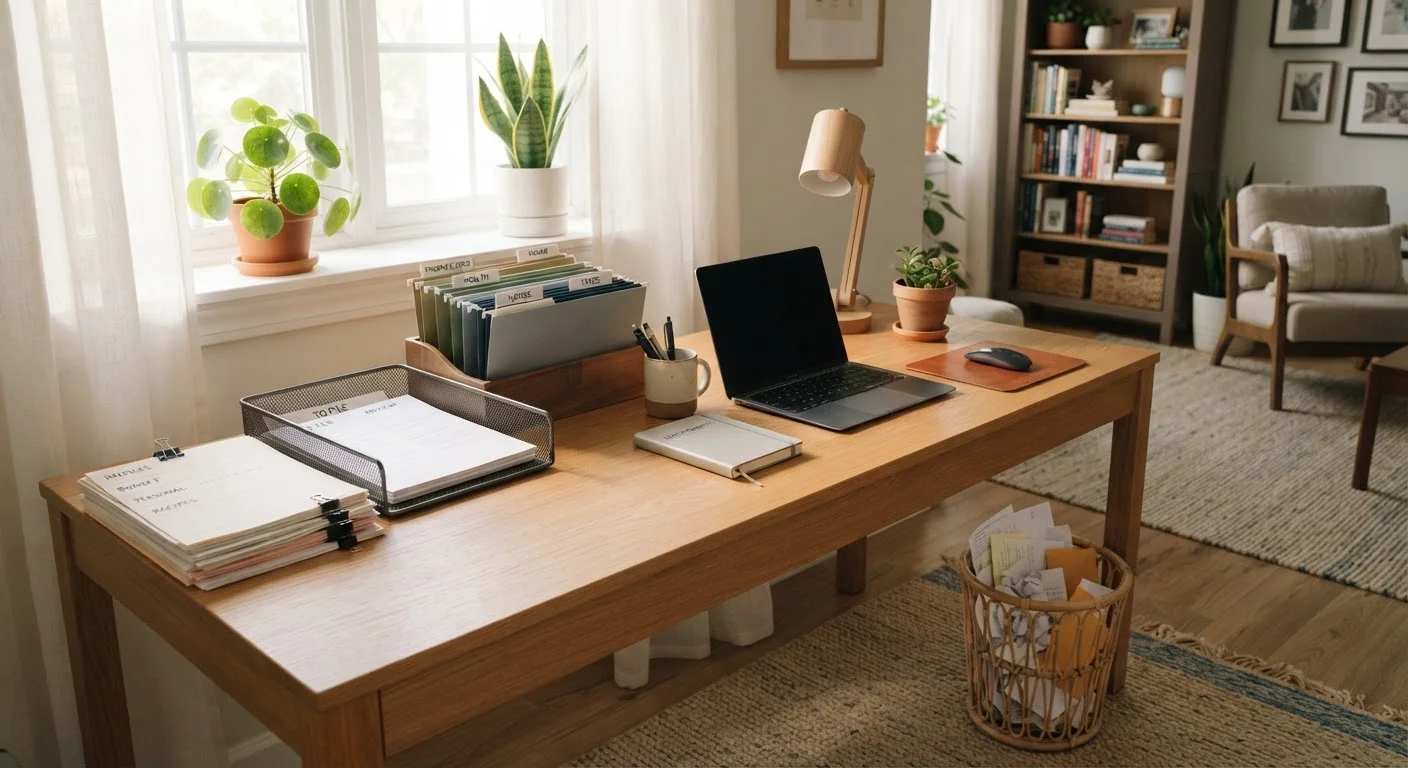
Designate a single physical inbox — a tray, basket, or folder — where all incoming paper lands first. This stops documents from spreading across countertops, tables, and bags. Once a week, process everything in that tray using your four-category system.
What You Need Before You Start
A successful paper sort doesn't require fancy storage systems upfront. The essentials are a flat surface, a few containers for sorting, and the right mindset: you're making decisions, not just moving paper around.
What you will need
Cross-cut shredder
Securely destroys sensitive documents to protect against identity theft.
Hanging file folders or accordion folder
Organizes documents into named categories for easy retrieval.
Inbox tray
Provides a single designated landing spot for all incoming paper.
Smartphone scanner app or flatbed scanner
Creates digital backups of important documents so physical copies can be discarded.
Label maker or adhesive labels
Clearly marks folders and storage boxes so the system stays intuitive over time.
If you're also dealing with drawer-level chaos elsewhere in your home, the principles here pair well with strategies for sorting high-traffic kitchen drawers — the same decision-first approach applies.
Step-by-Step: Sorting and Filing Your Paper
Shred Before You Recycle
Documents containing your name, address, account numbers, or Social Security information should always be shredded, not simply recycled. Tossing these whole creates a real risk of identity theft. If you don't own a shredder, many office supply and shipping stores offer shredding services for a small per-pound fee.
Gather all loose paper into one place
Before you can sort anything, you need to see the full scope of what you're dealing with. Collect every loose document, mail piece, receipt, and manual from every surface in your home — countertops, junk drawers, the dining table, bags, and shelves — and bring it all to your sorting surface. Don't edit as you go; just gather.
Sort into four categories
Work through the pile and place each item into one of four groups:
- Act: Requires action — a bill to pay, a form to complete, an appointment to schedule.
- File: Worth keeping but no action needed — insurance documents, warranties, medical records.
- Recycle: Junk mail, catalogues, duplicate receipts, expired coupons.
- Shred: Contains personal identifying information but is no longer needed.
This four-category framework works for nearly every piece of paper a household generates. When in doubt, ask: Would I need this to prove something or take action? If the answer is no and it contains no sensitive data, it likely belongs in recycling.
Shred and recycle immediately
Process your shred and recycle piles right now, before continuing. This removes the bulk of the clutter quickly and gives you visible momentum. Run the shredder through sensitive documents in batches. Place the recycling bin within easy reach so the recycled papers are physically gone from your workspace.
Create a simple filing system for your 'file' pile
You don't need an elaborate system — a basic set of labeled folders works well for most households. Common categories include:
- Taxes (current year and prior years)
- Insurance (home, auto, health)
- Medical records
- Home (mortgage, lease, utility accounts)
- Vehicle (title, registration, service records)
- Warranties and manuals
- Financial statements
Use broad categories rather than highly specific ones. The simpler the system, the more likely you'll maintain it. Place the folders in a filing box or drawer that's accessible but not in a high-traffic zone.
Deal with your 'act' pile immediately or schedule it
Action items have a tendency to get buried if returned to a pile. Process what you can right now — pay a bill online, make a call, fill out a form. For tasks that will take longer, write each one on a to-do list and set a specific date to address it. Then store the corresponding document in a visible, dedicated spot — your inbox tray works well — so it's not lost among filed papers.
Set up a weekly paper review habit
The reason paper accumulates is usually the absence of a regular processing habit, not a lack of storage. Set aside ten to fifteen minutes once a week — perhaps when you sit down to pay bills or plan your week — to clear your inbox tray using the same four-category system. Consistency at this small scale prevents the kind of backlog that takes an afternoon to untangle.
If you share your home with others, coordinating paper habits with housemates or family is worth a short conversation — paper clutter is often a shared problem with uneven ownership.
Reducing Paper at the Source
Once you've cleared the backlog, the next goal is reducing how much paper enters your home in the first place. A few high-impact switches:
- Go paperless on bills and statements. Most banks, utilities, and insurance providers offer electronic statements. Switching reduces incoming mail significantly.
- Opt out of catalogues and junk mail. The US Direct Marketing Association and services like DMAchoice allow you to reduce unsolicited mail, though it takes a few weeks to take effect.
- Decline receipts when you don't need them. For small purchases you won't return, a paper receipt adds nothing. Many retailers now offer email or text receipts as an alternative.
- Store manuals digitally. Most product manuals are available as PDFs on manufacturer websites. You can discard the physical copy once you've confirmed the digital version is accessible.
Reducing inflow and maintaining a weekly review habit work together. For those who find organizing genuinely difficult to sustain, low-effort organization systems can help you build on this foundation without requiring constant motivation. If you prefer a broader framework for managing belongings over time, it's worth exploring whether a continuous or seasonal decluttering approach fits your household better.