
Smart Speakers vs Smart Displays: Choosing the Right Voice Hub for Your Home

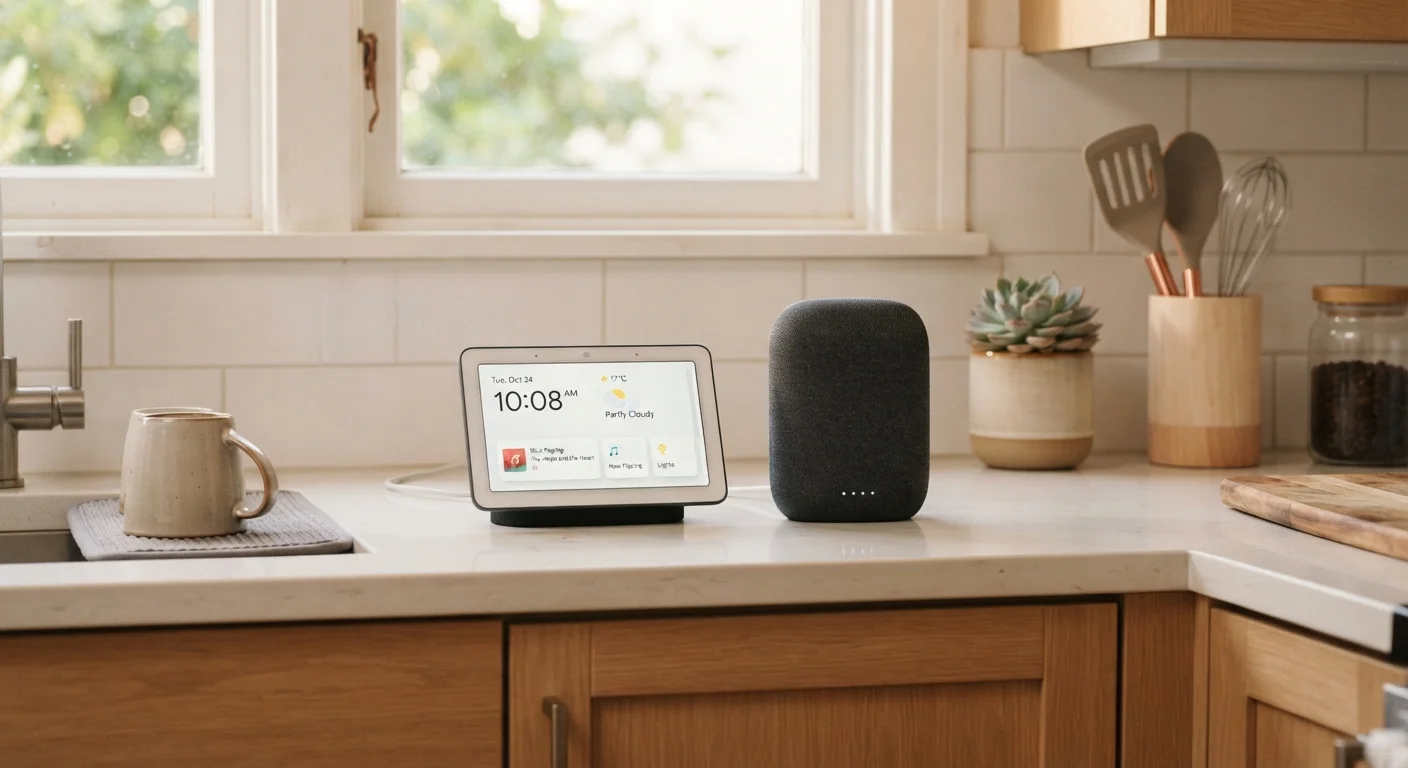
Key Takeaways
- Smart speakers handle voice commands and audio well but provide no visual feedback.
- Smart displays add a touchscreen and camera, enabling video calls, visual timers, and camera feeds.
- Both connect to the same smart home ecosystems and respond to the same voice assistants.
- Smart displays cost more and take up more counter space than equivalent smart speakers.
- Kitchens, family rooms, and home offices tend to benefit most from a display's visual layer.
- Neither device type requires a separate hub for many common smart home setups.
Option A
Smart Speaker
The voice-first, audio-focused home hub.
Best for: Anyone who wants a compact, always-listening assistant for music, timers, and controlling smart home devices without a screen.
Option B
Smart Display
The voice hub with a visual layer added.
Best for: Households that want video calling, visual recipes, security camera feeds, or a glanceable dashboard alongside voice control.
If you primarily want music, podcasts, and hands-free voice control
Smart Speaker
A smart speaker delivers excellent audio and responsive voice control in a compact footprint, without the cost or complexity of a screen you may not use.
If you want to video call family or see security camera feeds
Smart Display
The built-in screen and camera make video calling and live camera monitoring genuinely useful, which a speaker alone cannot offer.
If you cook frequently and want hands-free recipe guidance
Smart Display
Step-by-step visual recipes and built-in timers displayed on screen reduce the need to touch a phone with messy hands.
If you want a discreet device for a bedroom or small space
Smart Speaker
Smart speakers are smaller, less visually intrusive, and better suited to spaces where a glowing screen at night would be disruptive.
If you want a central dashboard for your smart home at a glance
Smart Display
Displays can show device status, weather, calendar events, and control panels on screen without requiring a voice command or phone.
What Each Device Actually Is
A smart speaker is a voice-activated device with a built-in microphone, speaker, and a cloud-connected voice assistant — such as Amazon Alexa or Google Assistant. You talk to it; it talks back. There is no screen. Everything is audio in, audio out.
A smart display is the same concept with a touchscreen added. It runs the same voice assistant, connects to the same smart home devices, and responds to the same commands — but it can also show information visually, play video, and, on most models, make video calls through a built-in camera.
Both types act as a control hub for compatible smart home devices: lights, locks, thermostats, plugs, and more. If you're new to how these devices fit into a broader connected home, our plain-language smart home explainer covers the fundamentals clearly.
| Criterion | Smart Speaker | Smart Display |
|---|---|---|
| Screen | None | Touchscreen (varies in size) |
| Camera | Not included | Built-in (with privacy shutter) |
| Video calls | Audio only | Full video calling supported |
| Recipe / visual guidance | Voice prompts only | Step-by-step on-screen display |
| Typical footprint | Compact, minimal | Larger, requires clear surface |
| Relative cost | Generally lower | Generally higher |
| Audio quality focus | Primary design priority | Varies; screen shares design budget |
| Smart home control | Full voice control | Voice plus on-screen controls |
Where Each One Genuinely Excels
Smart speakers shine in audio-centric situations. They're compact enough to fit on a nightstand, and their audio hardware is often better optimized for music than budget smart displays at a similar price point. They're also less visually demanding — no glowing screen in a dark bedroom. For listening to music, setting timers, getting quick answers, and controlling lights or thermostats by voice, a speaker handles all of it efficiently.
Smart displays earn their place in rooms where you actively look at something rather than just listen. A kitchen counter is the classic example: you can follow a recipe step by step, set multiple visual timers, and watch a brief instructional video — all without touching your phone. Living rooms benefit from the ability to pull up a security camera feed or make a video call to a relative. The screen also doubles as a passive information display, showing weather, calendar appointments, or a family photo slideshow when it's not actively in use.
35%
U.S. adults owning a smart speaker
According to Pew Research Center data, roughly a third of American adults reported owning a smart speaker, reflecting how mainstream voice-activated devices have become.
2x
Typical price difference at entry level
Entry-level smart displays commonly cost approximately twice as much as comparable smart speakers within the same ecosystem, reflecting the added screen and camera hardware.
For controlling automations and routines from either device, understanding how automations and routines differ will help you get more out of whichever hub you choose.
Key Trade-offs to Weigh
The screen on a smart display is not free in terms of cost, size, or power. Displays are consistently more expensive than speakers with equivalent voice capability, occupy more counter space, and draw more electricity. If a visual interface would rarely be used in your chosen room, you're essentially paying for a feature that sits idle.
Privacy considerations differ too. Smart displays with cameras introduce a lens into your home that smart speakers don't. Most displays include a physical camera shutter or privacy switch, but it's a factor worth acknowledging when deciding placement — a bedroom versus a kitchen, for instance.
Sound quality also varies. Some smart displays prioritize the screen and pack in modest speakers, meaning a dedicated smart speaker may deliver better audio for the same budget. If music listening is a priority, compare audio specs rather than assuming a display matches a speaker at similar price points.
Ecosystem Compatibility Matters
Both smart speakers and smart displays are tied to a specific voice assistant ecosystem — primarily Amazon Alexa or Google Assistant. The smart home devices you already own, or plan to add, should be compatible with that ecosystem. Switching ecosystems later can mean replacing devices or losing functionality, so it's worth confirming compatibility before purchasing. Most major smart home device categories — lights, locks, thermostats — support both major platforms.
If you're unsure whether you even need a central hub device at all, our guide to smart home hubs walks through the trade-offs between hub-based and hub-free setups.
Making the Right Choice for Your Space
Room placement is often the deciding factor. Bedrooms rarely need a screen — a compact smart speaker handles alarms, sleep sounds, and quick queries without a distracting display. Kitchens and living rooms are where a display's visual layer earns its keep most clearly. Home offices sit in the middle: a display makes video calls easier, but a speaker suffices if your laptop already handles that.
You don't have to choose just one type across your home. Many households use a smart display in the kitchen or living room as a primary hub, and smaller smart speakers in other rooms as secondary listeners. They all operate on the same ecosystem and respond to the same commands.
For a deeper look at what a smart speaker can and can't do before committing, our smart speaker starter guide covers practical expectations in plain language. And if you're building out a broader setup, understanding how smart plugs, bulbs, and switches differ is a useful next step.