

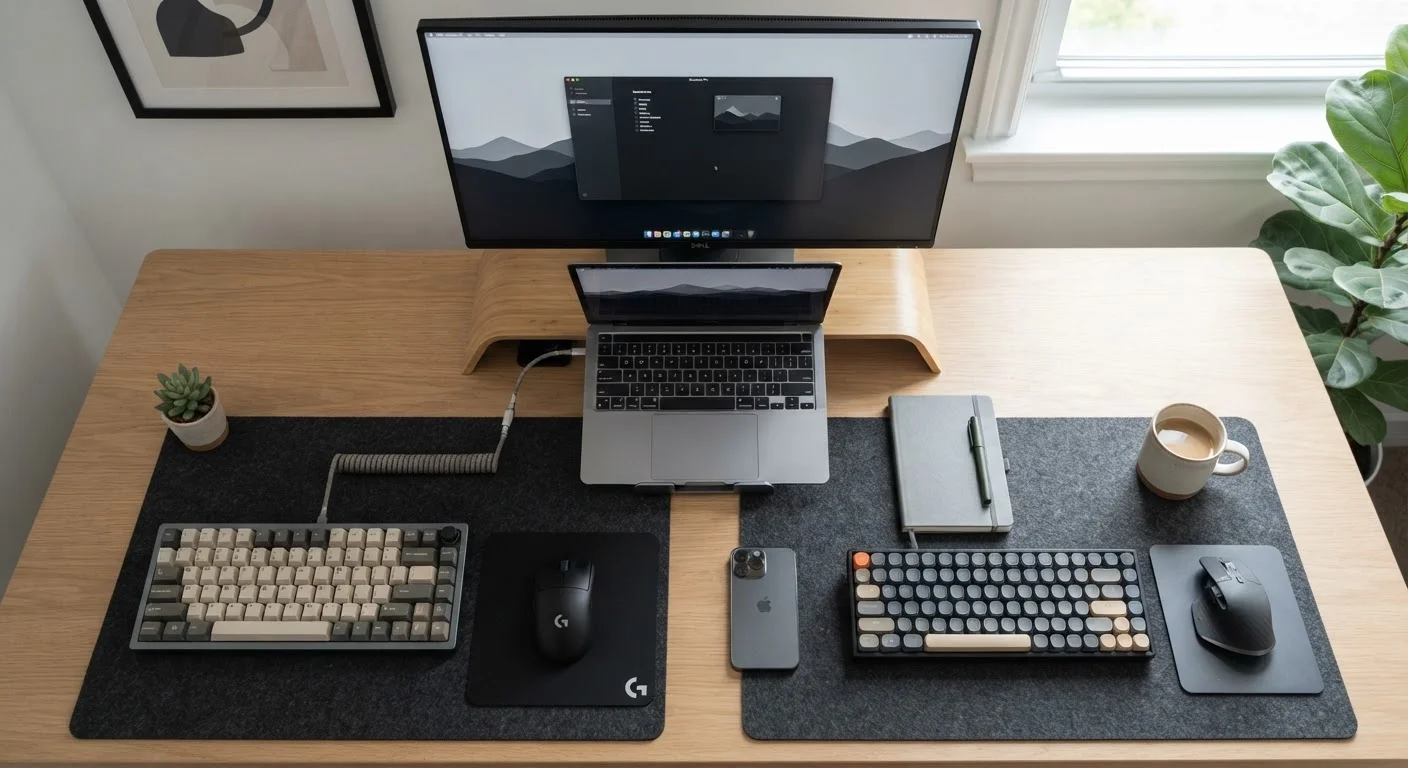
Key Takeaways
- Wired keyboards offer a stable, lag-free connection that never needs charging.
- Wireless keyboards reduce cable clutter and allow flexible positioning around your desk.
- Modern wireless keyboards have improved latency significantly, making the gap nearly imperceptible for everyday typing.
- Battery management — whether rechargeable or replaceable — is the main ongoing cost of going wireless.
- Your choice largely depends on how you use your desk, not on technical specifications.
Option A
Wired Keyboard
The dependable, no-fuss workhorse.
Best for: Anyone who types heavily every day and wants zero interruptions from battery management or connectivity hiccups.
Option B
Wireless Keyboard
The flexible, desk-decluttering alternative.
Best for: Home users who want a tidier workspace and the freedom to type from a comfortable distance.
If you type for long stretches and hate interruptions
Wired Keyboard
A wired connection never drops, never needs charging, and delivers consistent performance hour after hour without any maintenance.
If a tidy, cable-free desk matters most to you
Wireless Keyboard
Eliminating the cable instantly reduces visual clutter and lets you reposition the keyboard wherever it's most comfortable.
If you use your keyboard with multiple devices
Wireless Keyboard
Many wireless keyboards let you pair with and switch between several devices — a desktop, a tablet, or a smart TV — with a single button press.
If you're on a tight budget and want plug-and-play simplicity
Wired Keyboard
Wired keyboards are typically straightforward to set up, require no batteries, and tend to cost less at comparable quality levels.
The Core Difference: How Each Keyboard Connects
A wired keyboard connects to your computer through a USB cable (or, on older machines, a PS/2 port). Plug it in, and it works — no software setup, no pairing process. The signal travels through the cable instantly and continuously.
A wireless keyboard connects without a cable, using one of two main technologies: Bluetooth (built into most modern computers, tablets, and phones) or a dedicated USB receiver (a small dongle that plugs into your computer and handles the connection). Both methods broadcast your keystrokes as radio signals across short distances — typically up to about 30 feet in home environments.
That difference in how the signal travels is the root cause of almost every practical distinction between the two types.
| Criterion | Wired Keyboard | Wireless Keyboard |
|---|---|---|
| Connection method | USB or PS/2 cable | Bluetooth or USB receiver |
| Latency | Effectively zero | Minimal; imperceptible for most tasks |
| Power source | Computer via cable | Battery (replaceable or rechargeable) |
| Setup | Plug in and use | Pair via Bluetooth or plug in dongle |
| Desk clutter | Adds one cable | No cable |
| Positional flexibility | Limited by cable length | Up to ~30 feet range |
| Multi-device support | One device at a time | Many models support 2–4 devices |
| Interference risk | None | Possible near wireless-heavy environments |
Latency, Reliability, and Everyday Performance
Latency is the tiny delay between pressing a key and the character appearing on screen. For wired keyboards, this delay is essentially zero — the signal is electrical and travels at nearly the speed of light through the cable.
Early wireless keyboards had noticeable lag, but modern designs have reduced latency to a point where most people — even fast typists — cannot feel the difference during normal use. Where it can still matter is in competitive gaming or other tasks requiring split-second precision. For writing emails, spreadsheets, browsing, or video calls, wireless latency is not a practical concern.
Reliability is a more meaningful everyday distinction. Wired keyboards simply work as long as the cable is intact. Wireless keyboards can occasionally drop their connection due to interference from other wireless devices (routers, cordless phones, microwaves), physical obstacles, or a weakening battery. These interruptions are usually brief and infrequent, but they do happen.
~1ms
Typical wired keyboard input latency
Electrical signal travel through a USB cable produces input delays measured in under a millisecond, well below human perception thresholds.
~10ms
Average wireless keyboard latency
Modern wireless keyboards average around 10 milliseconds of latency — a gap that research suggests humans cannot detect during standard typing tasks.
12+ months
Battery life on power-efficient wireless keyboards
Some wireless keyboards with power-saving modes and no backlighting can last a year or more on a single set of AA batteries.
Battery Life and Maintenance
This is the one area where a wired keyboard has a permanent, unconditional advantage: it draws power from your computer and requires no batteries whatsoever.
Wireless keyboards either run on replaceable batteries (typically AA or AAA) or have a built-in rechargeable battery charged via USB cable. Battery life varies widely — from a few weeks for keyboards with backlighting to over a year for simpler designs with power-saving features.
Recharging or replacing batteries is a minor inconvenience for most people, but it does add a recurring task. Running out of battery mid-document is a genuine frustration, even if it's easy to avoid with a little awareness. Many wireless keyboards include battery indicators or low-power alerts to give you warning before you're left with an unresponsive keyboard.
If the thought of battery upkeep feels like friction you'd rather avoid, a wired keyboard removes the concern entirely.
Desk Setup, Clutter, and Flexibility
A cable is a small thing until you have several of them. A wired keyboard adds one more cord to your desk, which has to route to the computer — either directly or through a hub. For compact desks or setups where appearance matters, this can feel cluttered.
A wireless keyboard removes the cable entirely, letting you place it wherever is most ergonomically comfortable, move it aside when you need more desk space, or even type from your couch when connected to a living room computer or smart TV. That positional freedom is a real, daily quality-of-life benefit for many home users.
It's also worth noting that wireless keyboards often pair with multiple devices simultaneously, letting you switch between a home computer and a tablet with one button. If you use several devices at the same desk, that flexibility can be more valuable than any other feature. You might also find it useful to compare how input devices fit into broader device decisions — for example, our look at tablets versus laptops for everyday work covers how typing comfort factors into choosing between those platforms.
What About USB Receivers vs. Bluetooth?
If you go wireless, your connection type matters. A dedicated USB receiver (sometimes called a nano-receiver or dongle) generally delivers a more stable, faster connection than Bluetooth and doesn't require your computer's Bluetooth to be active. Bluetooth, however, works without using a USB port and connects more easily to tablets, phones, and other devices. Neither is universally better — it depends on what devices you're connecting to and how many USB ports you can spare.